A motion design project
Building better relationships using Bondai
Senior UX/UI Designer | Sensei Marketing
Motion Design, Marketing, Storytelling
OVERVIEW
Explaining BONDAI has always been a challenge — it required long conversations, dense copy, and more attention than most audiences realistically give. We needed a way to communicate who we are and what we do quickly, clearly, and in a way people would actually enjoy.
Our solution? A brand-aligned explainer video that educates while entertaining.
Creative direction exploration
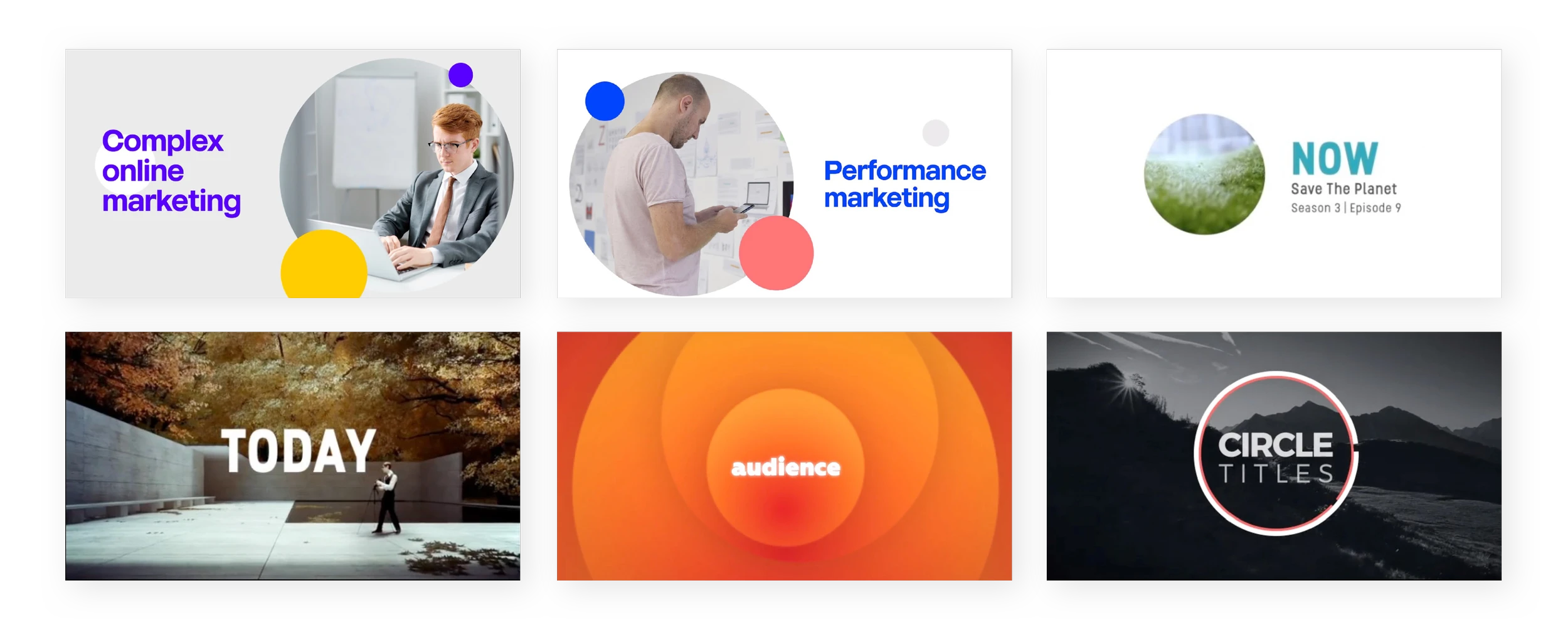
Before jumping into production, we first aligned on the visual direction. I explored motion styles that could elevate the narrative while still feeling unmistakably “BONDAI.” This meant leaning into our core elements — circles, clean geometry, spacious layouts, and bold typography. The research phase pulled inspiration from contemporary transitions, rhythmic pacing, and minimal color environments, helping define a visual system that felt both expressive and on-brand.
Storyboardying & Narrative refinement
With a clear visual language established, we moved into story development. I drafted the initial script and storyboard, shaping how each concept would unfold on screen. This phase went through multiple iterations — refining pacing, transitions, and messaging — until we landed on a tight, cohesive narrative that translated BONDAI’s value in a clear, engaging way.
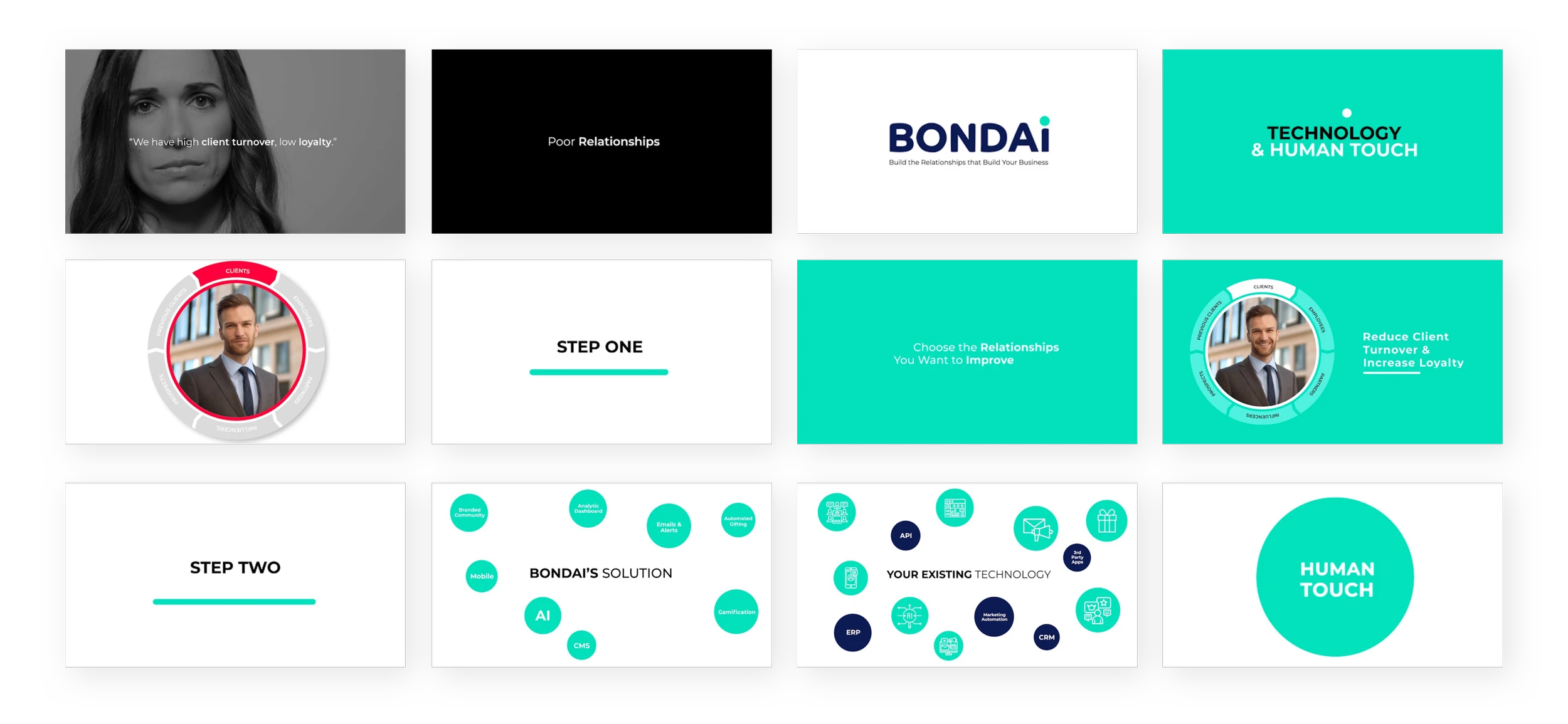
An early glimpse at the opening sequence, shaped by the completed storyboard and narrative flow.
Building the Elements Behind the Story
Before moving into animation, we needed to prepare all visual assets. We built out the foundational elements — shapes, layouts, type styles, and motion references — to ensure every frame aligned with BONDAI’s visual identity and translated smoothly into production.
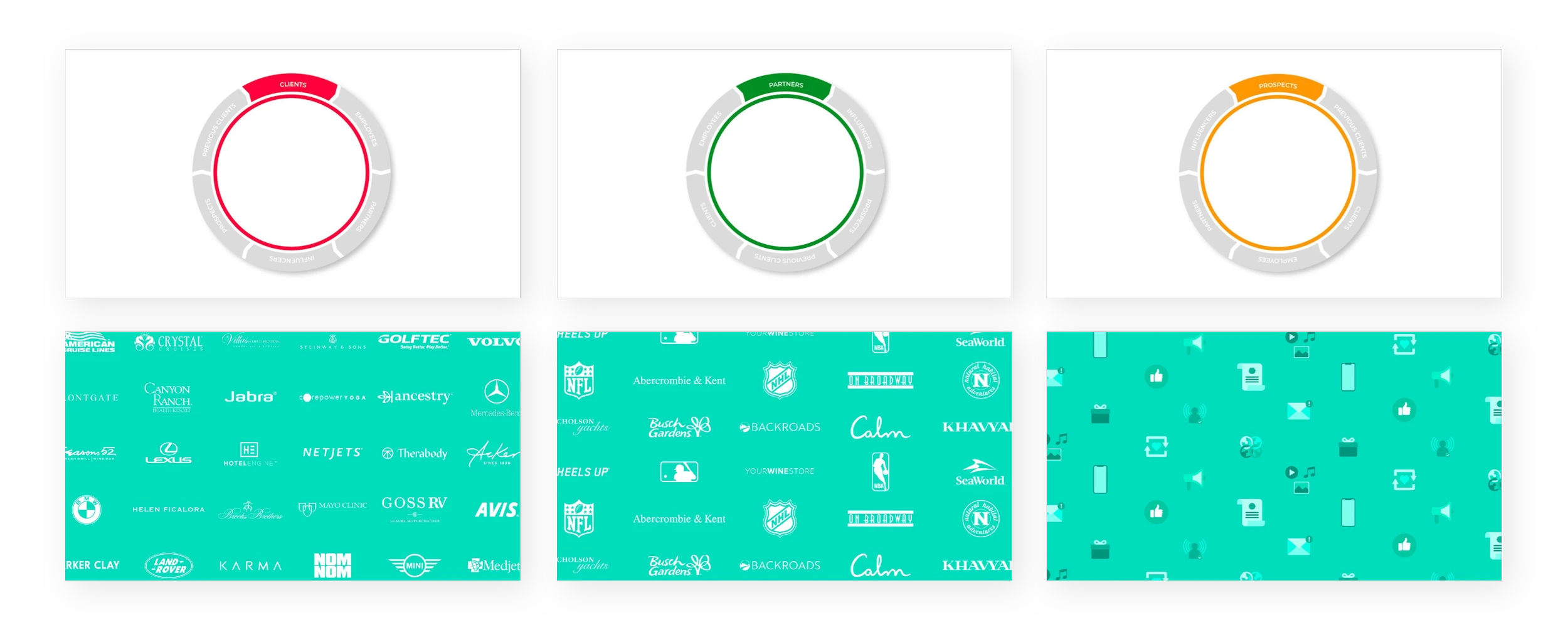
Visual assets—such as the lifecycle wheel and background elements—designed by the Junior Designer.
Bringing the Story to Life
With all assets and animations ready, I built the full composition—drafting a first cut and refining motion details through multiple rounds of review. After locking the visuals, I added music and voice-over to enhance pacing and emotional impact. This final mix brought the narrative, design, and sound together into a polished, production-ready video.
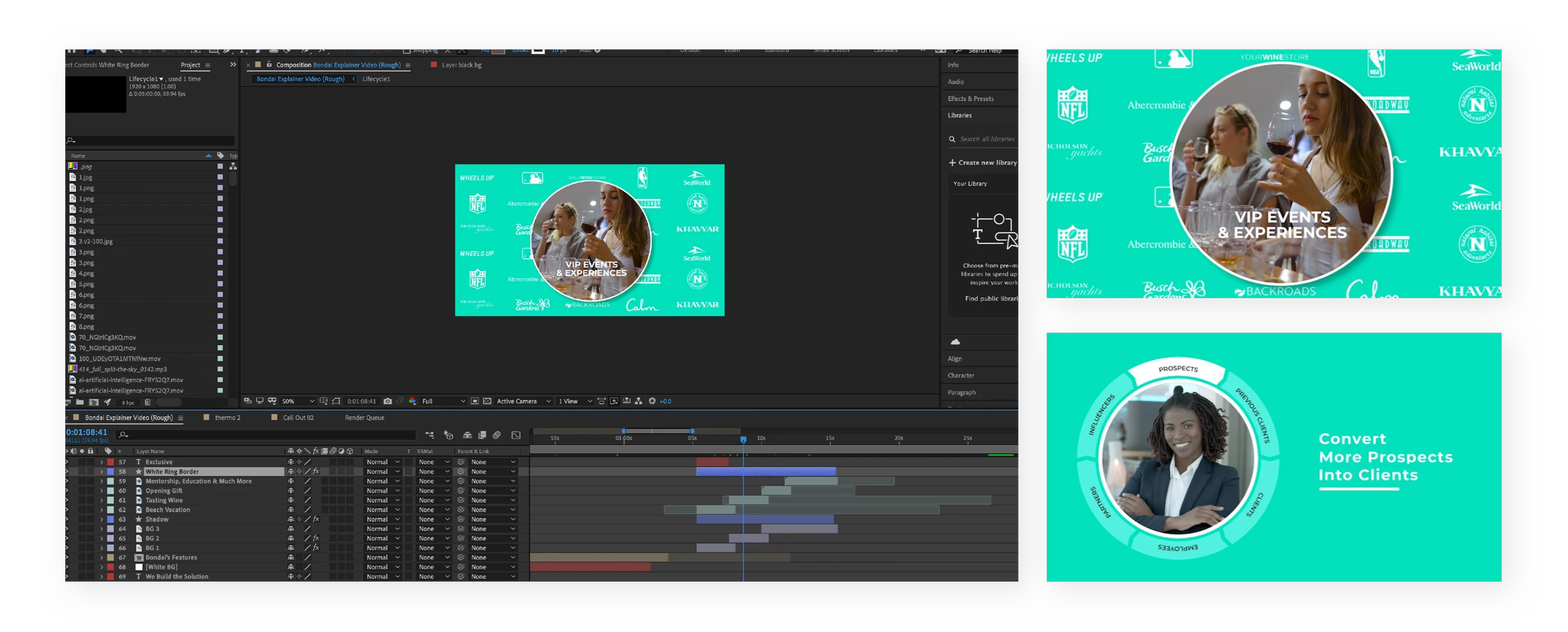
Edited in After Effects, the final composition integrates our graphic assets to create smooth, cohesive motion. The examples on the above highlight how these elements were used across key frames.
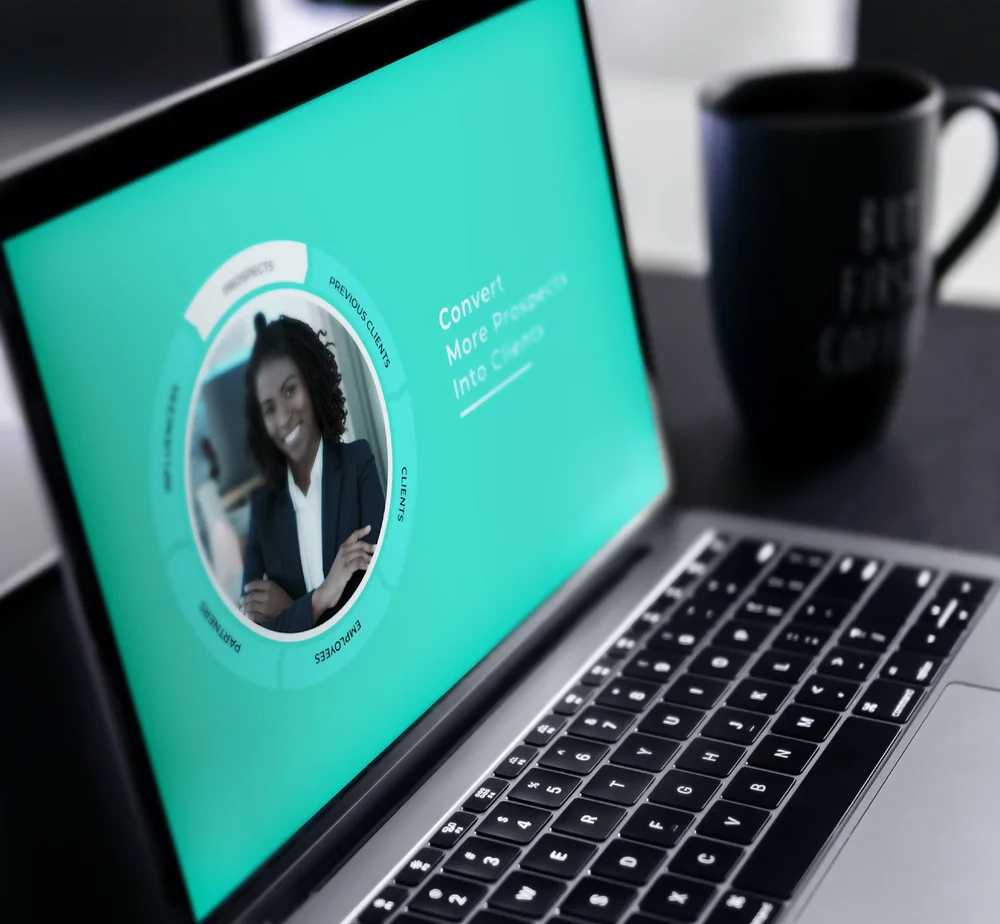
From Concept to Final Cut
Comparing the early concept with the finalized composition illustrates how refining motion, layout, and visual hierarchy elevated both usability and storytelling quality.
The problem
Branding Gone Wrong
The circle was a key brand element throughout the video, but early explorations revealed that overusing it in a single composition created unnecessary visual complexity. Simplifying the layout helped restore the clean, spacious look that aligned with our concept.
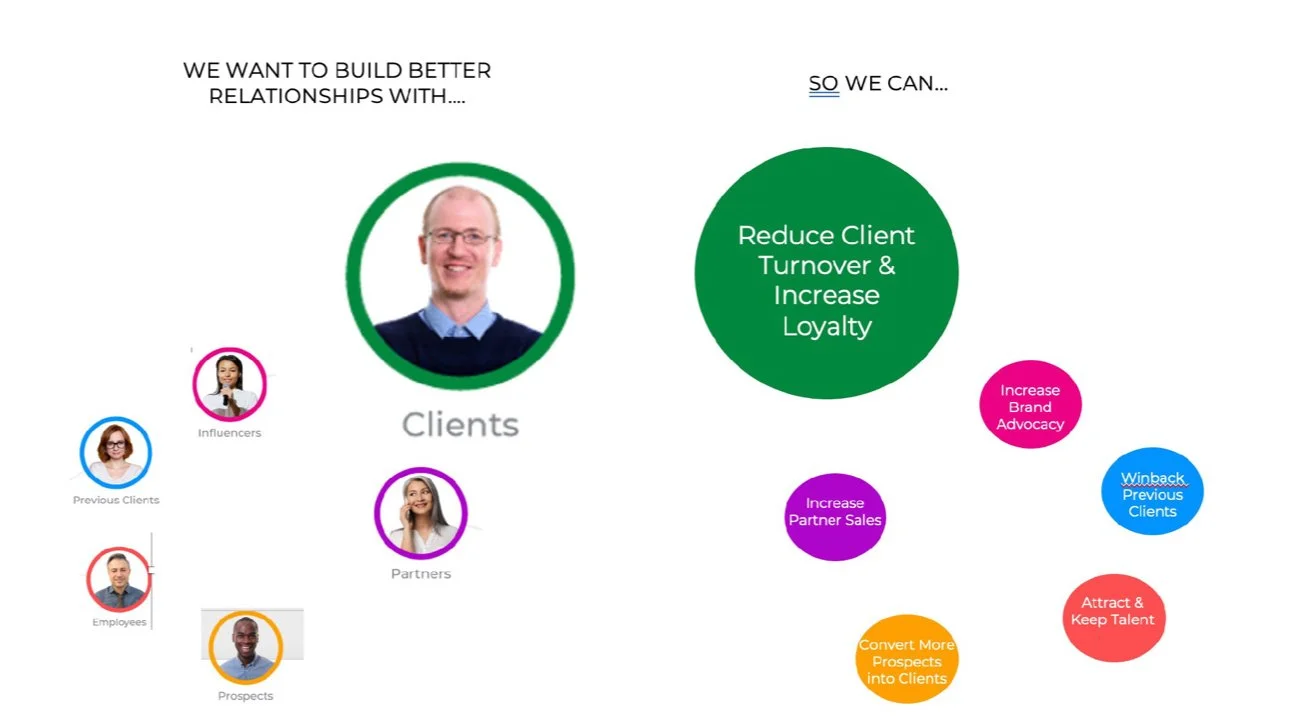
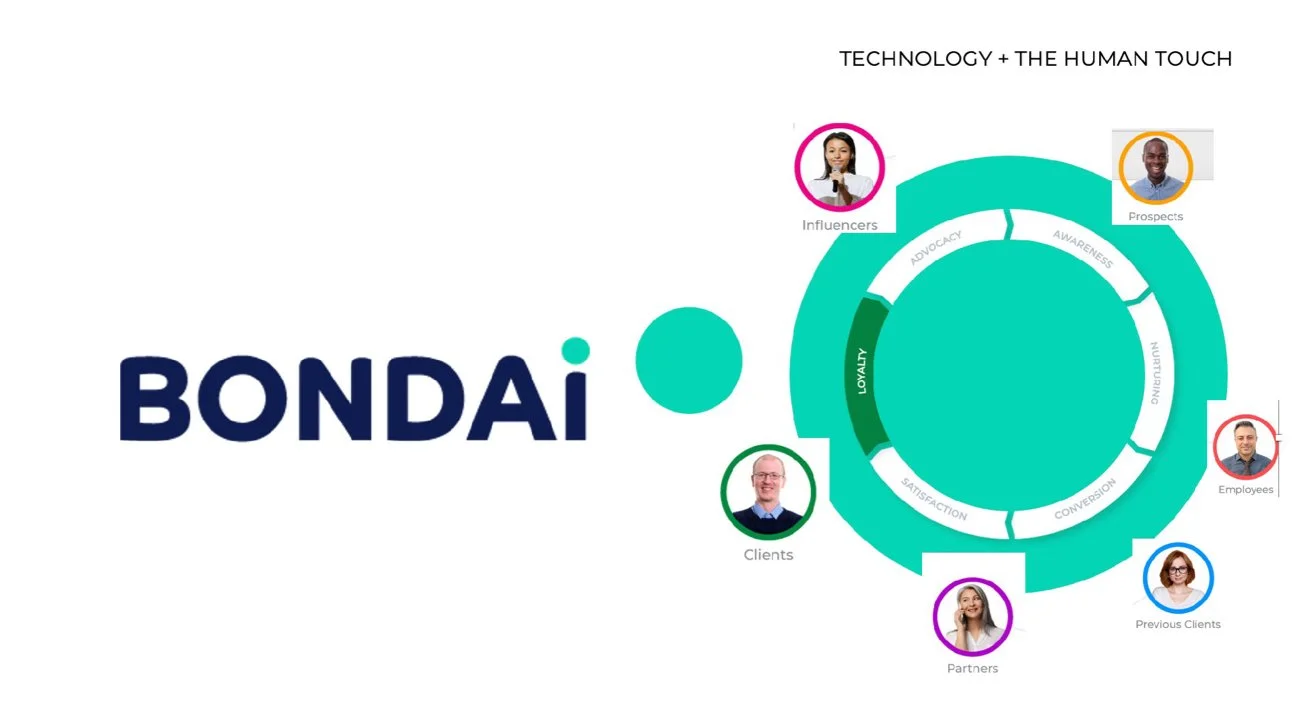
This initial frame attempted to highlight key information using multiple circle elements to stay on brand. The result, however, was a composition that felt overly dense and lacked clear visual hierarchy.
The Solution
Let's Go on a Journey!
We shifted to a more intentional use of the circle, using it to direct movement and guide the viewer’s eye. This approach reduced visual clutter, smoothed out transitions, and ensured the branding remained cohesive from start to finish.
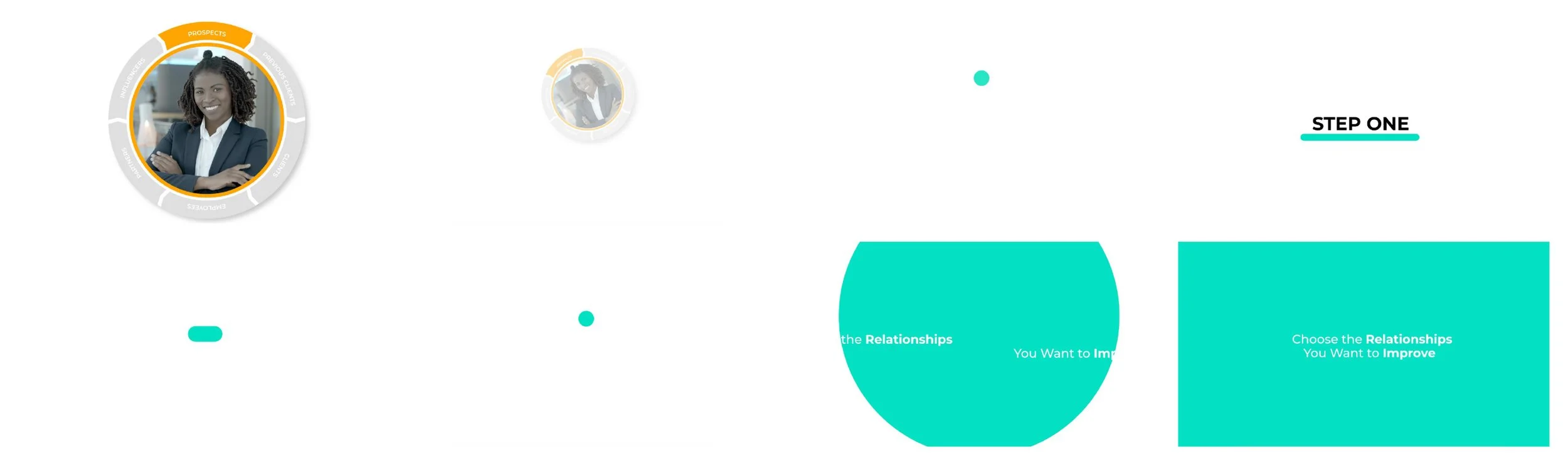
A section of the final storyboard demonstrating how the circle drives a fluid transition from the lifecycle sequence to the next steps, reinforcing clarity and visual continuity.
The problem
Can't Relate?
Using square boxes or straightforward text animations didn’t capture the nuance of the challenges we wanted to highlight. The approach felt impersonal and didn’t create the emotional relatability we were aiming for.
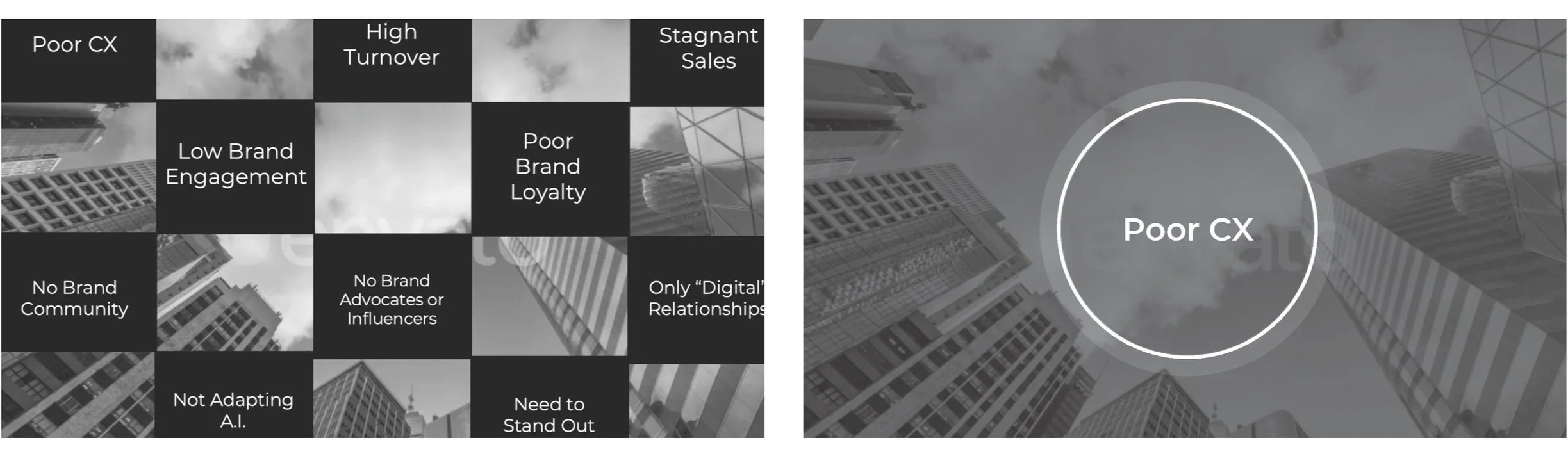
We initially framed universal workplace problems as text on background elements. While the content was relatable, the presentation felt detached and didn’t engage the audience on a personal level.
The Solution
Using Emotions is a Powerful Tool
We strengthened the emotional impact by using imagery that reflected real moments of frustration and disappointment. Introducing multiple voiceovers further personalized the experience, making each problem feel more grounded and relatable.
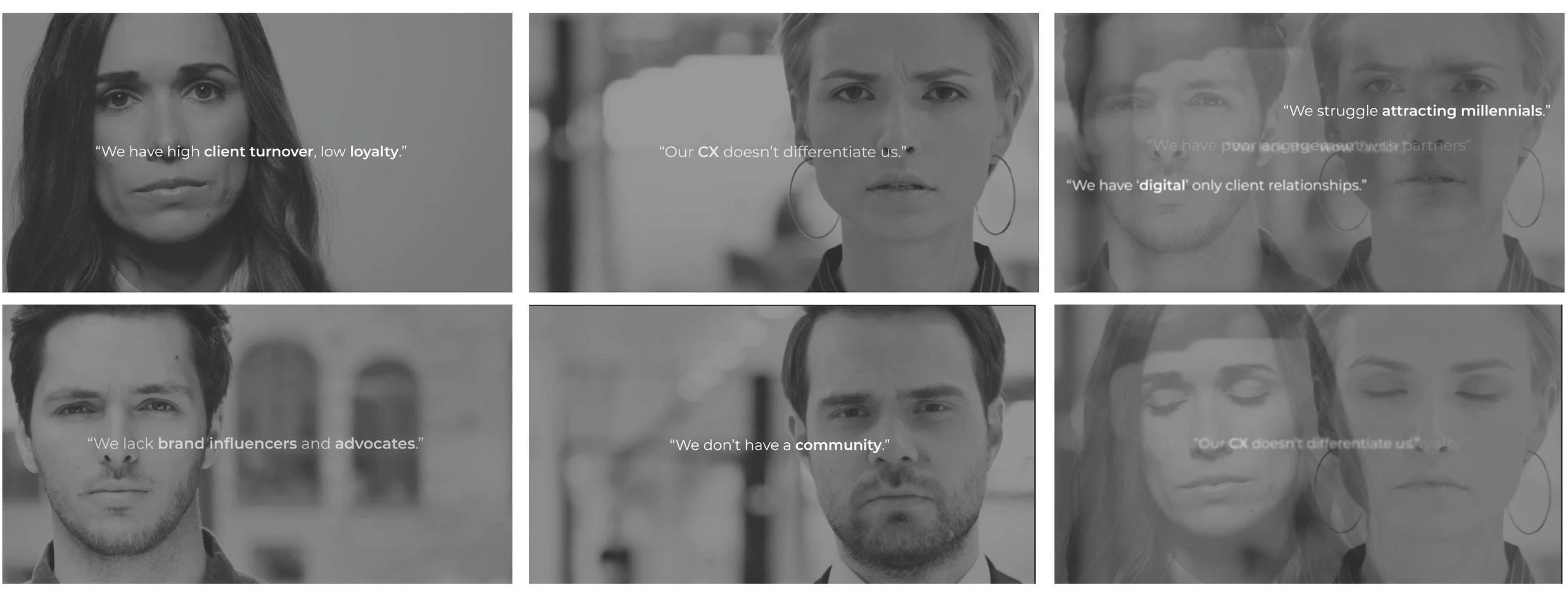
The final approach lets each individual voice their own challenges, bringing distinct emotions and authenticity to the narrative.
The problem
No Hierarchy
By using expressive imagery that reflected real frustration and disappointment, we strengthened the emotional impact of each scene. Pairing this with a variety of voices—not just one—added depth, relatability, and a more authentic representation of each problem.

Our first concept featured logos animating around the central footage. However, the added motion created visual noise, overwhelming the composition and reducing clarity.
The Solution
Bringing the Focus Back
The redesigned graphic assets allowed us to anchor the composition around a stronger focal point. This clarified visual hierarchy and improved flow, giving viewers space to absorb the content without feeling visually overloaded.

The final design centers the viewer’s attention on the footage within the circle, positioning the logos as secondary, ambient elements. This creates a cleaner composition and a more intentional hierarchy.
The Final Experience
The explainer video gives audiences a clear, accessible understanding of BONDAI and the value it brings. It’s concise and engaging while still being informative—balancing education with a light, entertaining feel. Throughout the piece, the circular motif guides viewers from scene to scene, reinforcing our brand identity in a subtle, memorable way. By highlighting real human emotions and relatable scenarios, the video creates a stronger personal connection with the audience.
Download the full case study to explore the design thinking and creative decisions behind the final video.